



REGISTRATION FORMS & FEES
Registration and payment, handled in a single step
Turn every registration, sign-up, or fee into a complete record you can easily see and account for.




One submission. No loose ends.

Register and pay in one step
No second system needed for families to log into.

Build flexible forms fast
Self-serve form builder. Build and launch in minutes.

Payment tied to every submission
Every form payment ties to the correct account code automatically.

Monitor data
in real time
See in real time who's registered and who isn't.

Front Office
Fees

Enrollment + Registrations

Clubs +
Activities

Teams +
Athletics

School
Spirit Wear
See a form come together
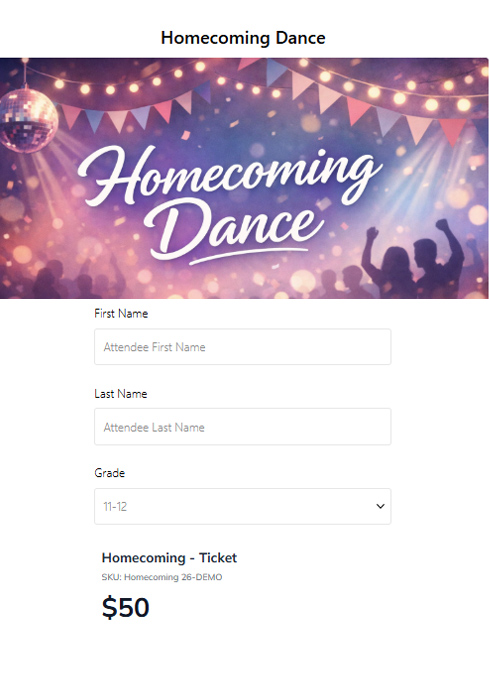
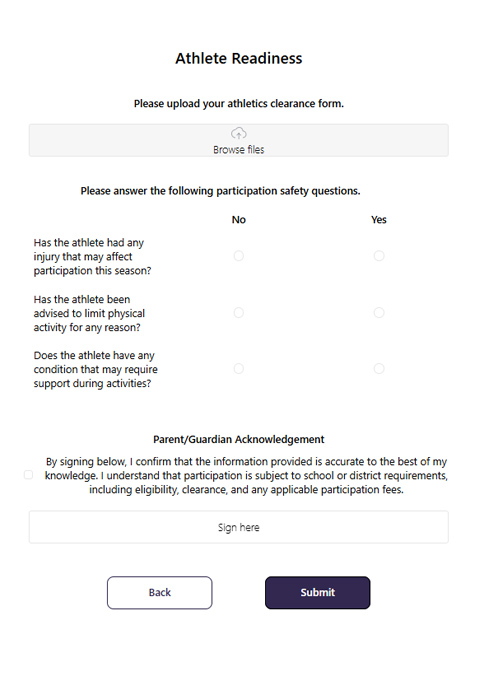
Build a form that asks the right questions, collects a signature, and takes payment. No second link to send, no data to copy over, no manual matching afterward.

No separate tools to manage
Most form tools stop at the submission. RevTrak Forms connects registration, payment, and reporting directly into the system your district already uses — so nothing has to be reconciled manually.
|
|
|
 Self-serve form builder
FAQ
Google Forms collects information. RevTrak Forms collects information and payment, routes fees to the right account code, and logs everything in your RevTrak reporting — no manual follow-up required.
Yes. You can combine payment, signature, and conditional logic in a single form — no separate tools or extra steps for families.
When you build the form, you map each item to an account code. Payments disburse automatically from there — nothing to sort out after the fact.
Yes. The form builder is self-serve. Staff can create multi-step forms and show/hide fields based on responses without submitting a ticket or writing code. Just drag, drop and customize!
Yes — from a simple permission slip to a multi-step registration with fees, waivers, document uploads, signatures and conditional smart logic. Same tool, same reporting, same ecosystem.